


 Works like a word processor
Deep editing of any PDF
Copy graphics and text
No-nonsense Interface
Try It For Free!
Buy from $9.99
Works like a word processor
Deep editing of any PDF
Copy graphics and text
No-nonsense Interface
Try It For Free!
Buy from $9.99
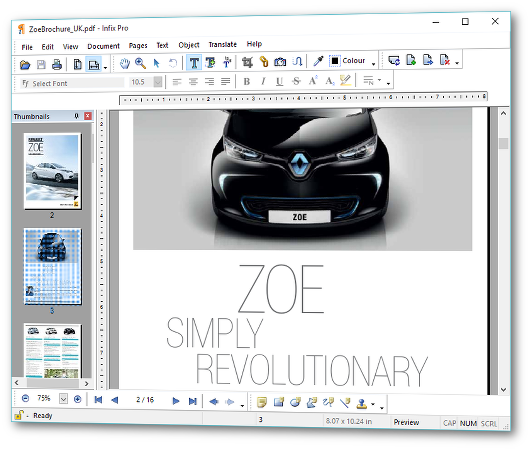
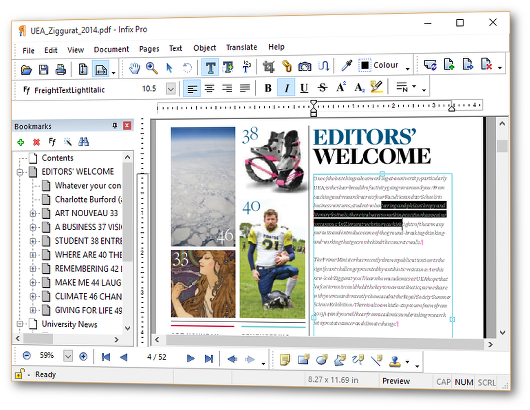

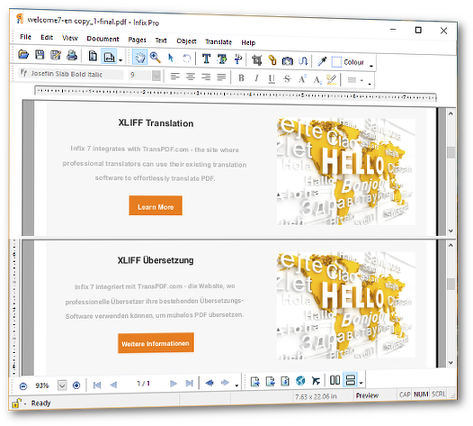 Translators - compare your translation to the original PDF, side-by-side.
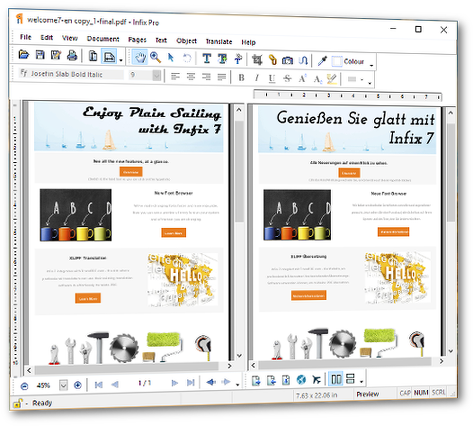 Try It For Free!
Buy from $9.99
Try It For Free!
Buy from $9.99




 Instant PDF Translations
Auto-translate any PDF
Supports 60+ languages including
Arabic, Hebrew, Persian & Urdu
Flip page layout for translations
Try It For Free!
Buy from $9.99
Instant PDF Translations
Auto-translate any PDF
Supports 60+ languages including
Arabic, Hebrew, Persian & Urdu
Flip page layout for translations
Try It For Free!
Buy from $9.99
Ready to edit PDF? Download the free trial for Mac or Windows
THE PDF Word Processor
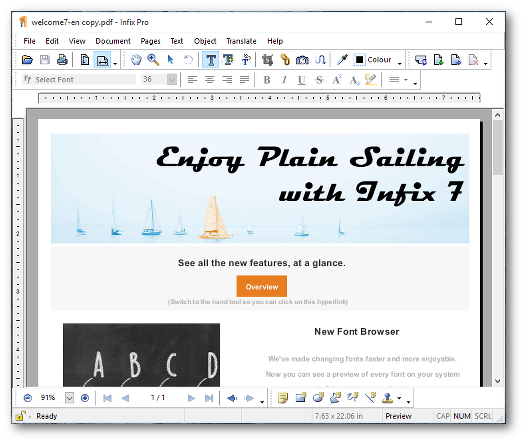
Infix works like a normal word processor, so it’s really easy to use.
It’s easy and quick – change text, fonts, images and more.
No interface gimmicks, no ribbons!
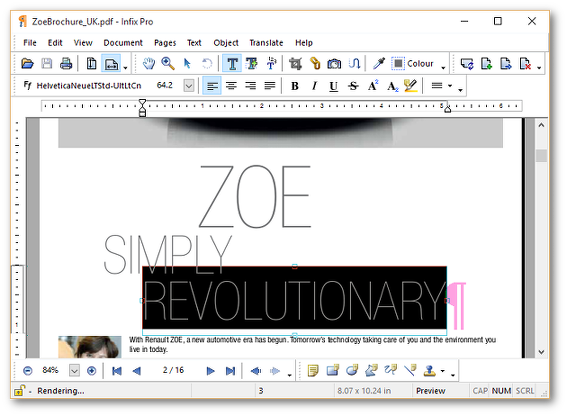
Deep PDF Editing
Change a single word, a paragraph, or an entire page. Infix covers your back, reflowing and reformatting text to keep it looking good. Once you’ve saved a file, you can’t even tell it’s been edited.
Time-Saving Features
Advanced Find & Replace, Translation, Bates numbering, OCR, Forms creation, PDF Comparison, Headers & Footers... Infix offers powerful tools designed to solve real-world PDF problems.
This is really a wonderful tool
Blog post by Paul Filkin, Client Communities Director, Language Solutions, SDL PlcFeature Highlights
Find out what's new in version 7.
Here's a selection of some of the features available.
Easy Text Editing
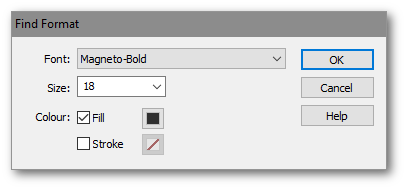
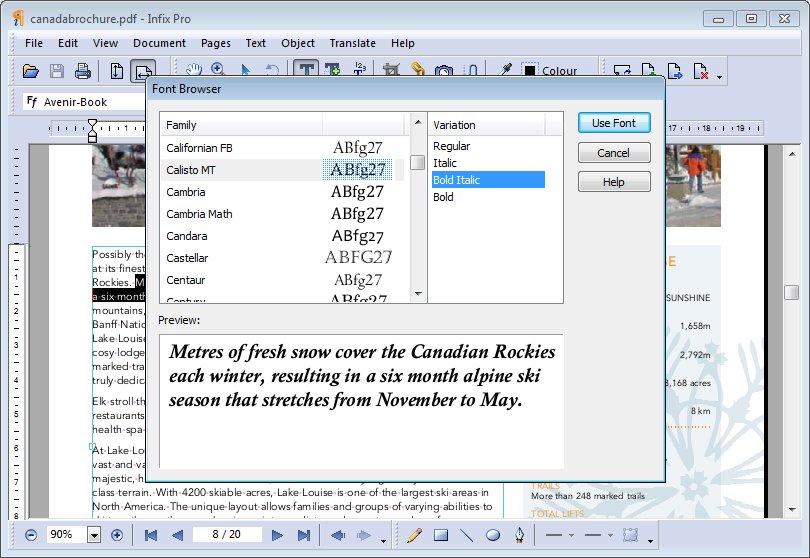
Edit all text in a PDF, change fonts, size, colour - all aspects can be modified.
Learn MoreFind & Replace
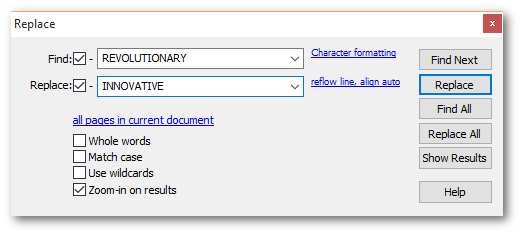
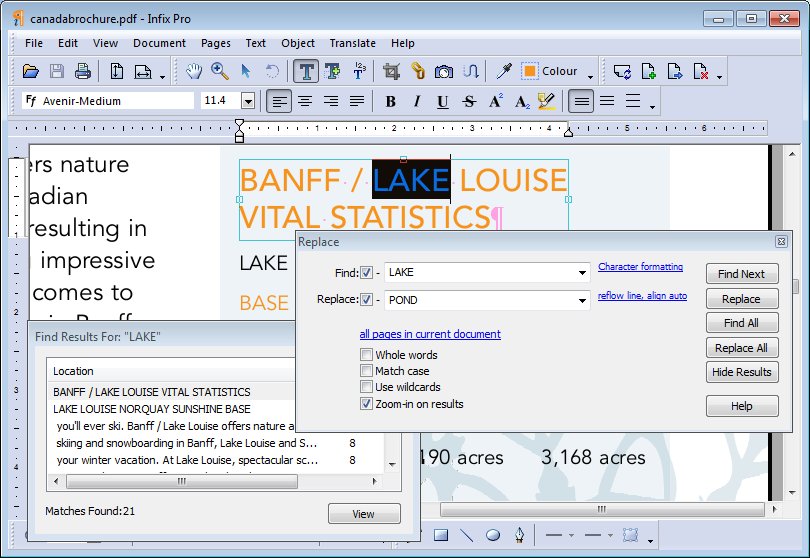
Search all the text in your PDF and replace words and phrases. You can even search through multiple PDFs.
Learn MorePDF Creation & Forms
Turn any document into a PDF just by printing it with the Infix printer. You can also create your own interactive PDF forms or edit forms provided by others.
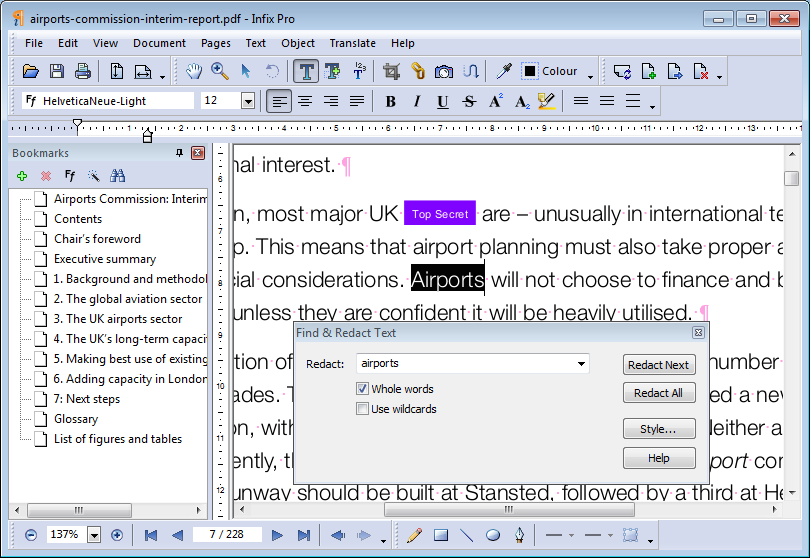
Learn MoreFind & Redact
Have complete confidence that sensitive information can be put permanently out of reach by redacting both text and image content.
Learn MoreTranslation
XLIFF translation for professionals plus instant, automatic translation for when you need a quick result. Supports 60+ languages including bi-di languages - Arabic, Hebrew, Persian and Urdu.
Commenting
Add notes, marks, shapes and text highlights. See all comments in the comments catalogue grouped by page, type and author for easy navigation.
Learn MoreBates Numbering
Apply consistent cross-document numbering to PDFs and PDF portfolios. Apply headers & footers too.
Learn MoreCompare PDFs
Quickly highlight the differences between two documents.
Look at the differences side-by-side or via a point-and-click summary.
Focus on graphical of textual differences.
Learn more...
Digitally Signed PDFs
Sign your PDFs with your own digital certificate and interrogate signed-PDFs to be sure they are from a trusted source.
Learn MorePDF1/A for Achiving
Encapsulate all the fonts and features needed to ensure your PDFs will look the same no matter when they are viewed.
Infix PDF Editor's version 7... has made definite and clear inroads toward making this tool an option that translators need to be aware of...
The Tool Box Journal, Issue 264 - International Writers' GroupAttention To Detail
Since its launch in 2005, Infix has been continuously evolving.
We don't just add features for the sake of it, but usually as a direct result of feedback from
customers.
.jpg)
Rapid Technical Support
During your license period you'll benefit from unlimited support and updates - we'll be there to help should you need it. You'll also get new features and releases to ensure Infix continues to cope with all the complexities of PDF now and in the future.
On-Line License Management
You can view and monitor every Infix license your company owns in real-time. See on which machines the software is installed and when it was last used. You can also de-activate licenses when you need to retire a computer.
Windows & Macintosh
Infix works on both Windows and Macintosh computers. Your license is interchangeable so if you ever decide to change your operating system, you can take your license with you.
We highly recommend Infix Pro for small or large projects. Please consider Infix Pro as your company standard for PDF editing. We did!
Gretchen TreschReady to edit PDF? Download the free trial for Mac or Windows
Monthly Subscription
- Support & upgrades
- Always have the latest software
$9.99
Single User One-off Payment
- 1 year's support & upgrades
- Discounts for 5+, 10+, 20+ users
$99
Enterprise250-User License
- 1 year's support & upgrades
- Real-time license-usage monitor
$1,995
Upgrades & Enterprise Licensing
Upgrades
There is no specific upgrade product for Infix 7. Instead we reduced the price of Infix 7 to match the old upgrade pricing.
Renewals
To renew your 12 month's support & maintenance, purchase a new Single User annual license. If you use the 'Renew' link shown in the reminder pop-up in Infix, you'll be able to keep your existing key-code.
Enterprise Licenses
We offer an Enterprise licence covering up to 250 users with a single license key. You can monitor usage of the license in real-time allowing you to keep tabs on your requirements.
To renew or upgrade an enterprise license, first check the number of licenses you need using License Management. For versions prior to 7, contact us and we'll tell you how many licenses you have used.
Subscription: The Smart Way
- Get the latest version of Infix
- Peace of mind with email and telephone support
- No contract - cancel at any time
- Know the cost - small, monthly payments instead of a lump-sum every 12-18 months
- Start/stop your subscription as you need
- Avoid steep learning curves that come with a major upgrade - instead the software gradually evolves
- Avoid unwanted 'features' added to sweeten an irrelevant upgrade
- Get feature requests sooner rather than waiting for a long upgrade cycle
Ready to edit PDF? Download the free trial for Mac or Windows
Screenshots
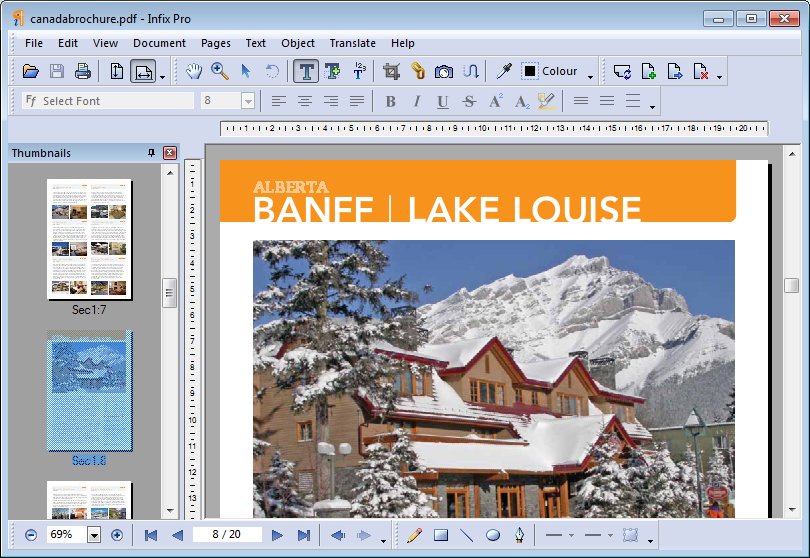
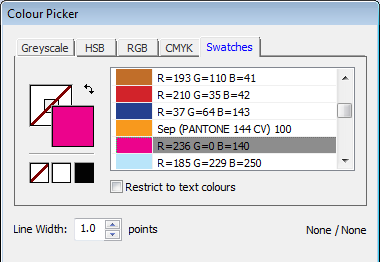
Click on the screen shots below to see descriptions of what's going on.

WHAT PEOPLE SAY
We always welcome short blog entries from our users and post them on our website in the hope that other visitors will find their experiences useful when making a purchasing decision. Here are extracts from just a few happy users.
 Rachel Lister
Pianist
Rachel Lister
Pianist
"Infix PDF is definitely more powerful then Adobe Acrobat Pro when it comes to modifying a PDF. It is easier and more intuitive to modify the font of a text, making it bigger or smaller or put it in bold. And it also allowed me to move text where Acrobat Pro would not let me move it!"
 Thomas Primrose
Legal Professional
Thomas Primrose
Legal Professional
"Infix appears to be just the standalone program that I and many colleagues have been looking for - the alternative to date has involved multiple programs and complicated workflows. In Infix it's as simple as point, click, delete and save."
 Miljenko Rafaj
Translation Agency
Miljenko Rafaj
Translation Agency
"I succeeded to translate PDF document without any help of my co-workers from the DTP department. Infix Pro Editor is an amazing tool. I am grateful that I found such a useful assistance for my translation work. I invite all translators to try it out."

Macintosh
MacOSX 10.11 to 13.6
- 64-bit Apple Silicon or Intel CPU
- 2 GB Ram
- 2 GHz CPU
- 1.5GB Disc Space
- Internet Connection

Windows
Windows 2003, Vista,
Windows 7, 8, 8.1, 10, 11
- Intel CPU
- 2 GB Ram
- 2 GHz CPU
- 1GB Disc Space
- Internet Connection

Linux
Runs under Wine (free Windows compatibility environment)
- Intel CPU
- 2 GB Ram
- 2 GHz CPU
- 1GB Disc Space
- Internet Connection
Recent PDF translation articles





Iceni Technology Ltd.,
36 St. Faiths Lane,
Norwich, England, NR1 1NN