
Ready to edit PDF? Download the free trial for Mac or Windows
Use Infix PDF Editor free-of-charge on PDFs from TransPDF
PDFs translated by TransPDF can be edited using the free demo version of Infix PDF Editor. This is very handy for making final adjustments to spacing and layout ready for clients.
Open your original PDF in Infix 7
Once open, choose Translate->Export to XLIFF from the menu bar.
This will begin the process of sending your PDF to transpdf.com where it will be converted into XLIFF.
Log-in to transpdf.com
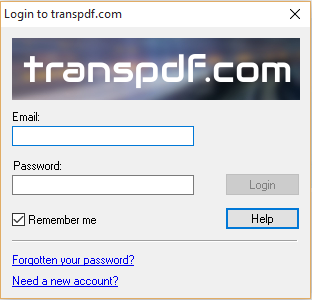
If you're not already logged-in, Infix will ask you for the login details of your transpdf.com account.
Use of transpdf.com is free for Infix license-holders so if you don't already have an account, click on Need an account to create one.
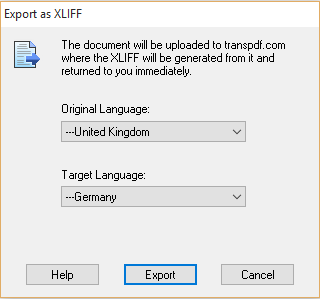
Choose the original and target languages for the translation.
Get the XLIFF and translate it
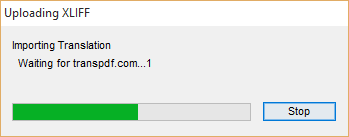
After a short delay, you'll get back the XLIFF version of your PDF. Save this and then translate it using your own translation tools. All tools support the XLIFF format and will have no trouble reading it.
Upload the translation
Drag & Drop the translated XLIFF onto an open Infix window.
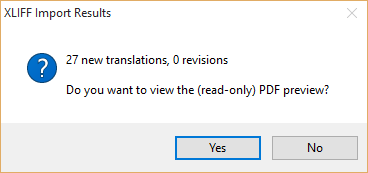
Get the preview PDF
After uploading a translation, Infix will ask you if you want to see a preview PDF. This is a good way to see how well the translation fits into the original PDF. Being read-only, you can also safely send this version to clients to give them a idea of progress.
Compare preview to original
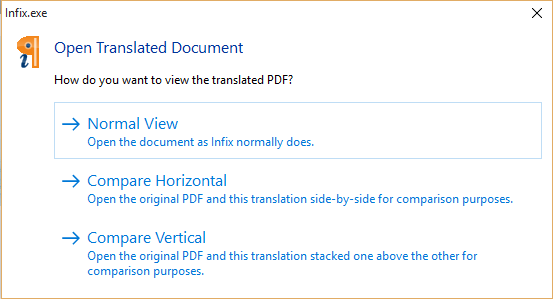
Infix will ask if you want to compare the preview to the original. You can compare each side-by-by or one above the other - choose whichever best fits the shape of the document. Or you can just open the preview on its own - Normal view.
Scroll, zoom-in, annotate your preview
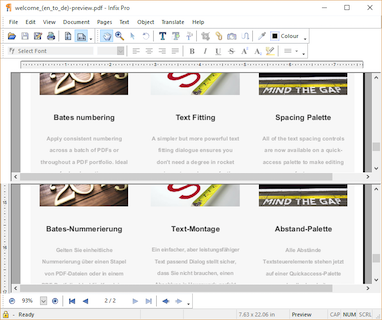
As you navigate around the preview, the original moves in lock-step, making it easy to compare the two even when zoomed-in.
Though your preview is read-only, you can still add comments and annotations for others to read.
Download the final, editable PDF
After finishing the translation work in your CAT tool, you'll want to start editing the PDF and for that you'll need more than a preview.
Import your finished XLIFF as before but say 'No' when Infix asks if you want to open the preview. Instead choose Translate->Buy Final... from the menu bar.
Infix 7 license holders don't pay anything for the 'final' PDF and can download it as many times as they want.
If you don't have an Infix 7 license, you'll need to purchase credits in order to download the final PDF. You can then edit it in Infix free of charge for evermore - you don't need to buy an Infix license!
Ready to edit PDF? Download the free trial for Mac or Windows

Iceni Technology Ltd.,
36 St. Faiths Lane,
Norwich, England, NR1 1NN